Free template · In Lean: standard work, or SOP
Standard Work Template: the best current way, written down
What it is and when to use it
A standard work template for office teams: purpose, what starts the work, up to twelve steps with key points, exceptions, owner and next review date.
A one-page standard for a piece of office work, so the way that works no longer depends on one person's memory. It holds the purpose and what starts the work, up to twelve steps each with the key point that makes it succeed or fail, what good looks like, the exceptions, an owner and a next review date, and a link to the problem the change came from. Write it once a change has held at its checks.
Download
Blank, ready to print or fill in on screen. No account, no email.
- PDF, A4 84 KB
- PDF, US Letter 84 KB
- Markdown (.md) 2 KB
- Word (.docx) 5 KB
Free to use, change and share, also at work, under CC BY 4.0. Keep the line “Template by KaizenProof” on copies you share.
Preview
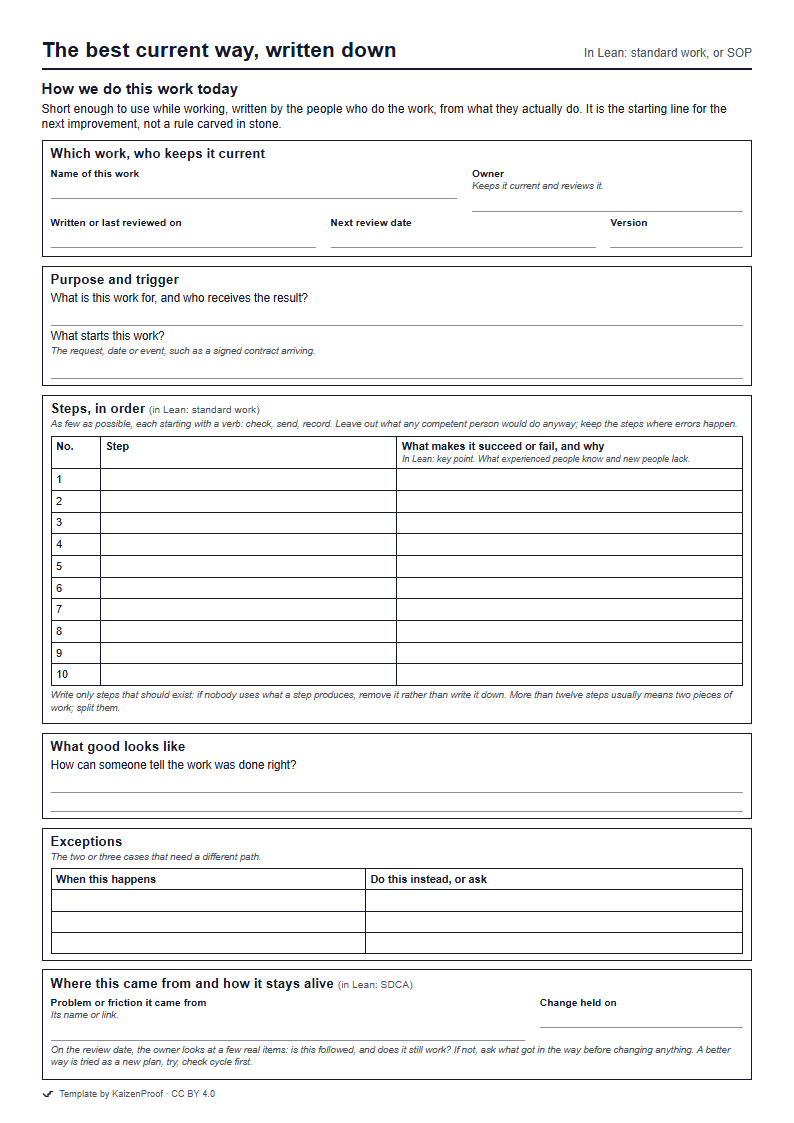
How to fill it in
- Which work, who keeps it current Name the work and the owner who keeps it current. Write the date and set the next review date now, while you remember.
- Purpose and trigger One line on what the work is for and who receives it, and one on what starts it.
- Steps, in order Write the steps as the team does them today, each starting with a verb. Beside each one that matters, write what makes it succeed or fail, and why. Test the sheet by giving it to someone who has never done the task: wherever they hesitate, something is missing.
- What good looks like Describe how a colleague, or the person receiving the result, can tell the work was done right.
- Exceptions List the two or three cases that need a different path, and whom to ask.
- Where this came from and how it stays alive Link the problem this standard came from and the date the change held. On the review date, look at a few real items before changing anything.
An example, filled in
Illustrative example, not a real company.
Two customer support agents write down how refund confirmations are now sent, after a change to the refund form held at every check.
Which work, who keeps it current
- Name of this work
- Sending a refund confirmation
- Owner
- Support team lead
- Written or last reviewed on
- 2026-11-20
- Next review date
- 2027-05-20
- Version
- 1
Purpose and trigger
- What is this work for, and who receives the result?
- The customer gets their refund confirmation at the email address they use now.
- What starts this work?
- A refund is agreed with the customer.
Steps, in order
- Table
No. Step What makes it succeed or fail, and why 1 Open the refund from the customer's account, not from the order. The order screen shows the address at the time of ordering; the account screen shows the current one. 2 Confirm the amount with the customer. 3 Send the confirmation. 4 5 6 7 8 9 10
What good looks like
- How can someone tell the work was done right?
- No refund confirmation bounces, and the customer does not call to ask whether the refund was made.
Exceptions
- Table
When this happens Do this instead, or ask The order came through a partner site, so there is no account address. Use the address in the partner field. There is no address in the partner field either. Ask the team lead before sending.
Where this came from and how it stays alive
- Problem or friction it came from
- Refund confirmations sent to old email addresses
- Change held on
- 2026-11-18
Common mistakes
- Writing the ideal, not the real. A standard that describes how work ought to happen is ignored by the people who know how it does.
- Too long to use. If it is not in front of people at the moment they do the work, it is not doing its job.
- No owner and no review date. A standard nobody owns goes out of date without anyone noticing.
Learn the method
Try it on your own work
Pick one task that wastes your team's time every week and describe it in a sentence. KaizenProof names the waste, asks why until you reach the cause, asks whether the step should exist, and writes the change. No account is needed to start.